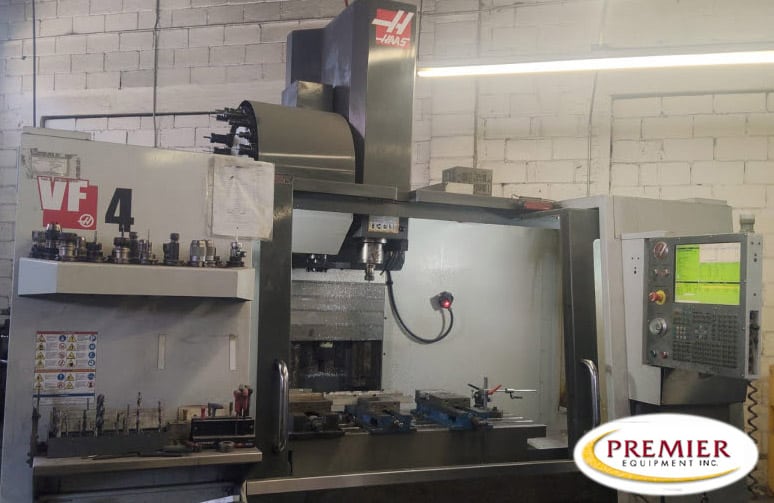

A fourth axis can make a used VF-4 a better fit for parts with features around several sides. It can also leave you buying a rotary that bolts to the table but cannot run with the machine’s existing control and drive hardware.
The match has to work electrically, in the control software, and inside the enclosure. Start with the actual mill and rotary, including their serial numbers and installed equipment. A VF-4 model name or a listing that says “fourth-axis ready” does not settle the pairing.
When comparing used Haas VF-4 machines, separate the machine’s fourth-axis provisions from the rotary and accessories included in the sale. Those are different buying questions.
Decide what the fourth axis needs to do
Indexing and coordinated rotary cutting place different demands on the setup. For indexed work, the rotary positions the part, stops, and holds it while the mill cuts. For coordinated work, the rotary moves during the cut with the machine’s linear axes.
A hypothetical example is a small manifold with holes on four sides. Indexing may cover the required operations without removing the part from its fixture. A hypothetical cylindrical part with a milled feature that wraps around its outside calls for a different programming and motion arrangement.
Do not buy an indexing package on the assumption that it also supplies coordinated fourth-axis machining. A separate rotary controller and a machine-controlled rotary axis are not interchangeable descriptions. Have the Haas Factory Outlet confirm how the proposed equipment will execute your intended operation.
That decision also affects the CAM post, the location of the rotary centerline in the program, and how the part is held. Resolve the process before choosing a rotary by platter size.
Match the control, motor and drive as one system
Used VF-4s span different control and electrical generations. A rotary from another Haas machine is not automatically a direct connection simply because both machines have the same badge.
The technical discussion needs to cover the rotary motor type and feedback, the mill’s axis drive or amplifier, cable connections, and the control’s support for that rotary configuration. Treat compatibility as an exact equipment pairing, not a broad claim that all older rotaries or all newer controls work together.
The control generation is a starting point
Identify whether the machine has a Classic Haas Control or Next Generation Control, then establish its software version and installed axis hardware. The control name alone does not prove the required drive is present or that the particular rotary is supported.
Ask the Haas Factory Outlet to confirm the pairing from the mill serial number and the rotary identification. The useful answer is specific: whether the existing hardware works, what software or configuration work is required, and what parts would have to change.
A matching connector is not a compatibility decision
A plug that appears to fit does not prove that the motor, feedback and amplifier belong together. Nor does an unused electrical connection establish that a complete working fourth-axis system is installed.
Keep cabinet work and drive changes with qualified service personnel. This is a machine configuration decision, not a reason to experiment with spare servo components. Get the proposed installation scope before committing to a separately purchased rotary.
“Fourth-axis ready” does not mean a rotary comes with it
The sale needs to distinguish the mill’s provisions from the physical equipment on the table. Clarify whether the quote includes the rotary, its cables, workholding and any required support equipment. A pictured accessory is not enough; the written equipment list should identify what transfers with the machine.
Haas Automation UK’s HRT210 product page explicitly requires a mill with a fourth-axis drive for full fourth-axis operation, or a rotary control box for standalone operation. It also states a software requirement. That is a product-specific requirement, not proof that every used HRT210 generation works with every VF-4. Its center height and platter dimensions need to suit the workholding too.
If the complete package changes the purchase budget, discuss used CNC financing against the actual equipment quote. Do not compare a bare mill price with a mill that includes the rotary and tooling your job needs.
Table fit is only the first clearance question
A rotary occupies table space before you add a chuck, fixture or part. Its center height changes where the work sits relative to the spindle. A tailstock or other support can consume more room along the table.
The part must clear throughout its rotation, including protruding stock and clamps. The spindle head, enclosure and tool changer create additional limits. Long tools and tool-change movements can create interference that is not obvious when the rotary is stationary.
Haas Automation UK’s VF-4 page and rotary fit guidance distinguish conventional mounting from arrangements requiring alternative fixturing. The guidance also warns about tool-changer interference. Use the dimensions for the actual machine and rotary rather than treating a fit-chart result as approval for every fixture.
For a hypothetical long shaft, the available cutting length is not the VF-4’s advertised X travel. The rotary body, chuck, tailstock and tool approach all occupy space. A machine with adequate travel can still be the wrong arrangement for that shaft.
Compare complete production arrangements
A VF-4 with a suitable rotary can be a sensible choice when the job benefits from rotation around one axis and the mill still needs to handle ordinary vise work. That flexibility has a practical cost: mounting, aligning or removing the rotary takes shop time and changes the available table space.
If the intended fixture leaves too little room, compare other used vertical machining centers instead of forcing the application onto a particular model. More table area may help, but it does not remove the electrical compatibility question.
Send Premier the part dimensions, intended operation and rotary information when you discuss a VF-4 purchase. Premier can help clarify the sale equipment and coordinate the buying process. Exact retrofit compatibility belongs with Haas service and the documented machine configuration.
Questions buyers ask about a VF-4 fourth axis
Can I move a rotary from another Haas onto a VF-4?
Possibly, but the previous machine is not proof of compatibility. Confirm the rotary identification, motor and feedback, control software, drive hardware and physical fit for the receiving VF-4.
Does the VF-4 need a tailstock for rotary work?
The part and workholding determine that. A short part held securely in a suitable fixture is a different application from a long shaft requiring support. Include any support hardware in the space study and equipment quote.
Does a fourth axis turn a VF-4 into a five-axis machine?
No. A single rotary axis adds one direction of rotation. It does not supply the second rotary motion of a five-axis arrangement, and fourth-axis provisions alone do not establish support for a dual-axis rotary.